
Summer Presentation Refresh: Get Your Slide Library Ready for Q4
Updated August 2026.
Many of our clients report that July and August are slow times for them. These months tend to have less urgent projects running across the board, and since it’s a common time of year for staff to go on vacation, there aren’t typically many new projects added to the docket. Of course, this is also a time when there is low conference attendance, and fewer projects to attend to. For back-end teams such as marketing, HR or office managers, however, the end of summer is a time of opportunity. Summer’s end is a great time to bolster marketing efforts, update presentation resources, prepare and refresh marketing materials and prepare for a busy final quarter!
Quick summary (TL;DR) – How to use the summer slowdown productively: Summer is the one time of year with fewer fire-drills – the ideal window to get your presentation resources in order before Q4. In three steps: (1) Gather every deck your teams actually use and audit it for outdated content and off-brand design. (2) Ask your team five quick questions to find out which slides they’re missing. (3) Build a shared template library (company overview, data charts, timelines, agendas) so nobody rebuilds from scratch in September. This guide walks through each step.
I initially wrote this as advice for marketing teams, based on my personal experience. However, the same summer-reset logic applies across the office. HR teams can refresh onboarding decks, performance-review templates, and policy slides before the autumn hiring and review cycles. Office and operations managers can standardize the meeting, reporting, and town-hall templates the whole company reuses. Anyone who owns a pile of PowerPoint files their colleagues depend on has the same opportunity right now.
Don’t Waste This Opportunity, Replenish Your Marketing Resources
Take advantage of the lull in your marketing campaigns. You have a limited period of time when you can work, more or less, without interruption. Whether you are a marketer working within a corporation, within a smaller company, or you are an entrepreneur functioning as the sole employee of your business, – now is the time to tidy up your marketing resources, renew your efforts, and create any new sales materials you anticipate needing. Think about the unanticipated hiccups that can happen down the road – time wasted searching for PowerPoint graphics, or creating informative slides you could easily add to a slide deck library.
Not Sure How To Get Started?
6 Ideas for Marketing Materials Tidy Up
Here are a few ideas for how you can improve your marketing before the busy season picks back up:
- Gather Presentation Materials: Get all the presentation materials sales and marketing staff in your company use. Review the content to verify it is up to date in terms of message, and your brand/company standards.
- Ask Colleagues: Ask what presentation elements your colleagues are using, what they have been missing, and what they believe would benefit them in the upcoming autumn sales period. Collect expectations and respond so they know they are being heard, and also what to expect in terms of updated resources. (If you need help with what to ask, keep reading. I have a list of 5 questions to ask your team which will help you learn about their needs quickly!)
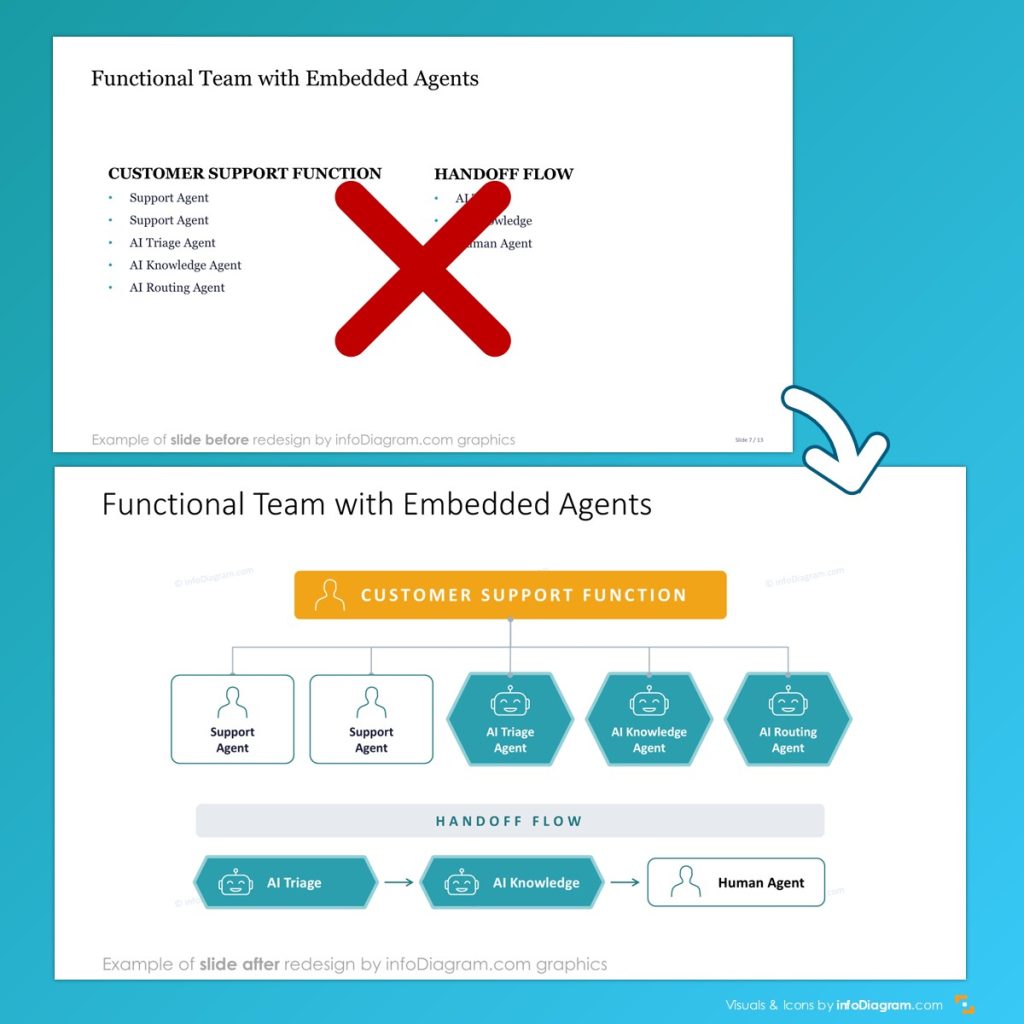
- Update Presentation Slides: Make sure that all of your slides are up to date based on content as well as the style elements incorporated. (Stay current on what styles are outdated in this presentation on slide graphical trends.) A refresh isn’t only updating text — it’s turning tired bulleted slides into visuals people actually read. Here’s a real before/after: a plain bulleted team list rebuilt into a clear structure diagram.
- Create a Document of Do’s & Don’ts for your team to ensure that there is less work to be done updating presentations throughout the busier quarters as they make new presentations or add to existing presentations.
- Build or Refresh Your Company Presentation Template: If you have a template that you recommend or require your team use to build sales presentations, now is the perfect time to update it. Be sure to include any PowerPoint graphics or images for the icon collection you prefer your team to use!
- Prepare a Slide Deck of Frequently Used Information: If your team frequently uses the same information in slides or images in slides, make a deck of those frequently utilized templates and tools to ensure they always have a fast way to copy information they need. (Examples of these might be disclaimer slides, icon libraries, price sheets, or any other frequently utilized resources.) This will help make building on the fly presentations easier and faster during busier periods. (Still unsure of what to include in a slide deck library? Keep reading. I have examples of topics at the end of this article.)
- Make Sure to Share: Building new resources and revamping old ones is great, but it’s only practically useful if the people who need to know are aware! Be sure that you update the new resources you’ve built in a shared folder and that you notify the folks who will be using them so that everyone can benefit from your hard work.
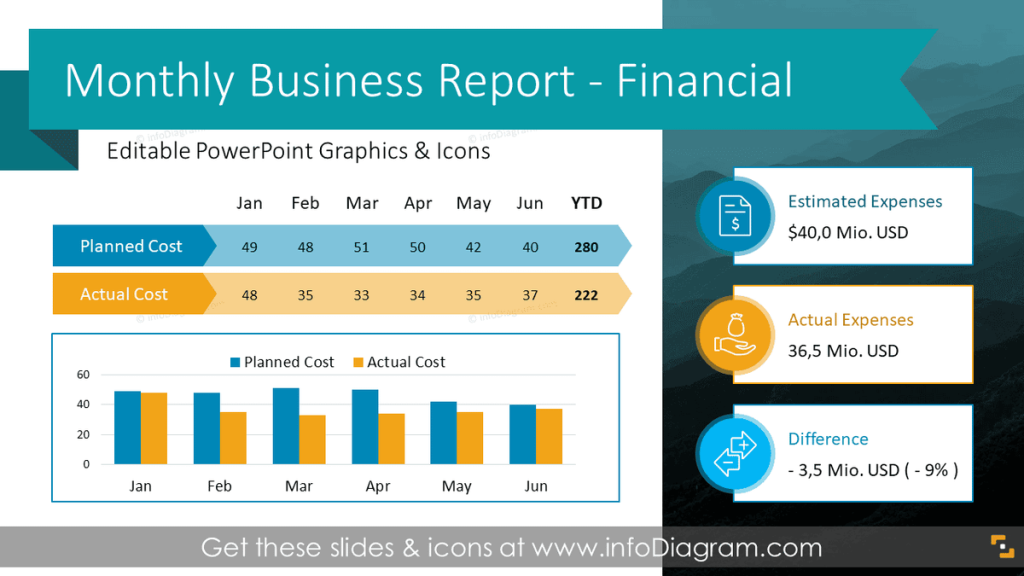
Example of regular business report slide deck:
Want more ideas for boosting marketing efforts? Do a survey of your company:
5 Minute Presentation Survey Questions Template
If you’re not sure how to ask colleagues about what would benefit them, use one of those ‘5 Minute Presentation Survey’ as a model.
Copy this and send it to your team. It takes them a few minutes and tells you exactly which slides to build first. Add or remove items as are necessary, based on your team and your needs.
Two versions below – use the short-answer one for a small engaged team, the tick-box one for a larger group where you want fast, rankable results.
4-open-questions survey version
Use this to collect richer, freely written answers. Suitable if you have engaged responders.
- What slide topics do you typically use in presentations?
- This will give you ideas of what to put in the company slide deck.
- What is the biggest challenge for you when making presentations?
- e.g. structure, data charts, building tables, finding images, etc.
- This will give you an idea of what is missing. Be sure to ask them to rank the items if they choose more than one thing!
- Do you use the company presentation template? If not, do you know where to get it?
- Often having off brand presentations is simply a matter of someone not knowing where to find the right template. Fix that now, while you have time to train or re-train staff.
- What would help you to make better presentation slides this autumn? What would save you preparation time?
Closed-questions survey version
1. Which presentations do you give most often? (tick all that apply)
☐ Sales / pitch
☐ Project or status update
☐ Monthly / quarterly report
☐ Town hall / all-hands
☐ Onboarding / training
☐ Other: ______
2. Where do you get your slides today?
☐ Approved company template
☐ I copy from old decks
☐ I build from scratch
☐ I download them online
3. Which slide type do you most often struggle to make look good? (tick up to 2)
☐ Data charts
☐ Tables
☐ Timelines / roadmaps
☐ Org charts
☐ Process diagrams
☐ Agenda / section slides
☐ Comparison slides
4. Rank the top 3 slide types that would save you the most time if we had them as ready templates:Data charts · Tables · Roadmaps/timelines · Org charts · Agendas · Process flows · KPI dashboards
1st: ______ 2nd: ______ 3rd: ______
5. Do you know where the approved company templates live?
☐ Yes
☐ Roughly
☐ No
6. What presentations do you already know you’ll need to give this autumn?
(short answer — helps us build ahead of the busy season)
7. What’s one slide you wish already existed so you never had to build it from scratch?
Where to start: Refresh these high-use slides first
Based on survey answers, here are some examples you can use to the slides your company team reuses most:
- Agenda slides to organize longer presentations
- Bullet-point alternative slides for less block-of-text slides
- Data & KPI charts to present you company numbers visually
- Company roadmap to show plans and project milestones
- Table redesign instruction and examples
- Wordy slides – article on how to simplify a complex slide in 3 steps
- Highlighting graphical elements – frequently used icons collection (common images/elements used in slides so they are in one place, making it easier to remain on brand) Or find your industry icon set here.
- Geographical maps where your company is located or active
- Frequently used photographs related to your products, services, staff, or locations or your company images database
Looking for timely topics to present this season? See our Summer Presentation Topics calendar.
Getting it all together in this summer slowdown can be a huge challenge. Finding motivation to do much of anything when the pace finally slows is always a hassle, however, your sales colleagues will appreciate your help. Busy September is coming, and they will be forced to rush from conference to conference, and back and forth to sales meetings – these steps being taken now will ensure that the presentations they put together in those busy times will be just as great as the ones you could manage when it’s slow. Your marketing peers will also be glad to have templates ready for their autumn campaigns.
Skip the from-scratch rebuild. infoDiagram’s content-ready decks give your team professionally designed, editable slides for company updates, HR reviews, data reports, and roadmaps — ready to drop into your brand template. Browse the slide library →
Enjoy the rest of your summer, and best of luck with the busy autumn to come!